#ios (89)

Seite 3 von 9

Hands-On with Apple’s Genmoji AI Emoji Generator in Beta

Emojipedia has taken a closer look at Apple’s AI-generated emojis. It will be interesting to see how the NSAdaptiveImageGlyph will be used in other apps and whether it will blur the boundaries between custom emojis and those from the Unicode standard. Let’s see what that could mean for Yonks.

Hands-On With Apple's Genmoji AI Emoji Generator | OpenGraph Preview Image
blog.emojipedia.org

Hands-On With Apple's Genmoji AI Emoji Generator

Earlier today Apple released their first developer beta for iOS 18.2, giving registered users their first hands-on experience with their new Genmoji image generation tool.

iOS and iPadOS 18: The MacStories Review

Federico Vittici macht für iOS und iPadOS bekanntlich das, was John Siracusa einst für macOS machte als es noch Mac OS X hieß: Ein super-ausführliches Review schreiben, dass bis ins kleinste Detail von Apples mobilen Betriebssystemen geht.

Da iOS 18 aber natürlich Apples unausgereifter Nachholversuch in Sachen Artificial Intelligence ist und dieser erst später mit 18.1 und erstmal nur in den USA kommen wird, konzentriert Federico sich zunächst auf die anderen, gar nicht mal so vielen Features. Das sind neben dem neuen (furchtbaren) Tinted Homescreen-Icons, allen voran der customizable Control Center (cool, aber, natürlich wieder mit unnötigen Beschränkungen belegt), diverse, teils überfällige Detailverbesserungen (looking at you, Bilingual Keyboard!) und Apple Apps-Updates (wie Fotos und Math Notes).

Mein 16 Pro kommt am Freitag, aber bis ich die verheißten Apple Intelligence-Features wirklich in der EU nutzen kann, habe ich vermutlich schon ein iPhone 17 oder 18 in der Hand. Während Google & Co. ein (unzureichend getestetes) AI-Feature nach dem anderen an den Mann bringt.

iOS and iPadOS 18: The MacStories Review | OpenGraph Preview Image
macstories.net

iOS and iPadOS 18: The MacStories Review

There is still fun beyond AI.

Introducing AltStore PAL

Riley Testut, seineszeichens Entwickler der hervorragenden iOS-Emulatoren GBA4iOS und Delta, heute in seinem Blog:
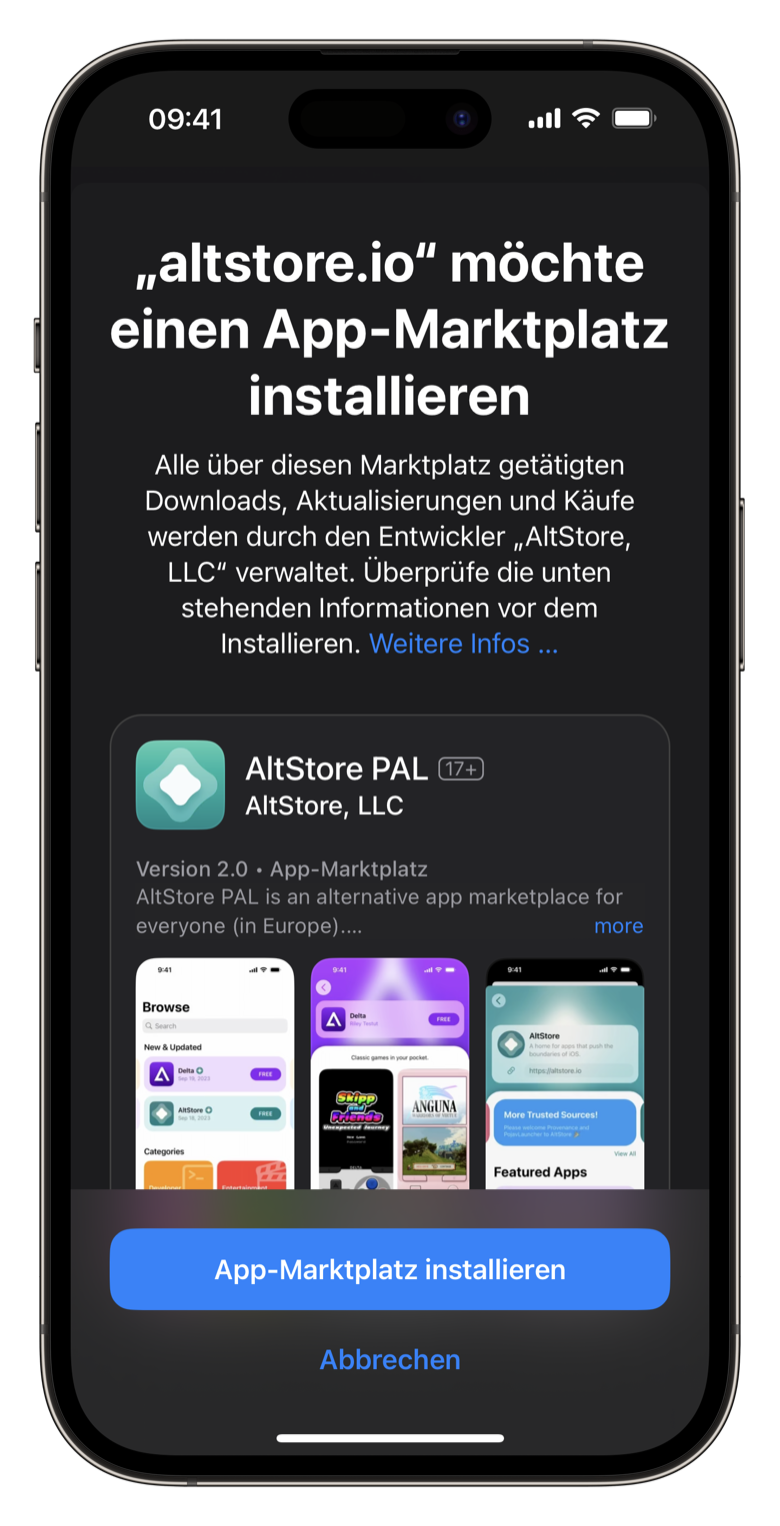
Screenshot des iOS-Dialogs zum Installieren eines alternativen App Stores. Hier: AltStore PAL.

This is a day I’ve been looking forward to for over 10 years.

I’m thrilled to announce a brand new version of AltStore — AltStore PAL1 — is launching TODAY as an Apple-approved alternative app market­place in the EU. AltStore PAL is an open-source app store made specifically for independent developers, designed to address the problems I and so many others have had with the App Store over the years. Basically, if you’ve ever experi­enced issues with App Review, this is for you!

Riley hat besagtes App Store Review mit seinen Emulatoren bereits vor Jahren auf die Probe gestellt und in Konsequenz seinen eigenen App Store, den AltStore, gebaut, der sich bisher per Mac-App und eigenen Entwicklungs­zertifikaten auf iOS installieren ließ. Mit den neuen EU-Richtlinien und EU-iOS 17.4 ändert sich dies nun: Seit heute ist der AltStore innerhalb der EU als alternativer App Store installierbar. Kostenpunkt 1,79 Euro pro Jahr, um die von Apple auferlegte Steuer für Apps außerhalb des eigenen App Store (Apples „Core Technology Fee“) zu berück­sichtigen.

Die ersten zwei Apps im AltStore sind Rileys eigene Apps: der Emulator Delta und Clips, ein Clipboard-Manager. Darüber hinaus lassen sich weitere Quellen für die App-Distribution hinterlegen.2 Man darf gespannt sein, was da noch kommt.

  1. Anmerkung von mir: Großartiger Name! []
  2. Ich unterstütze die Entwicklung seit ein paar Wochen per Patreon und konnte alternative, empfohlene Quellen, die es bisher noch nicht in der Produktiv-App gibt, schon testen. Zwar gab es dort nur weitere Emulatoren und Developer-Utilities, aber dass das technisch bereits geht, ist überaus spannend. []

MacPaw kündigt Setapp Mobile für EU-iOS an

MacPaw, die Entwickler von u.a. CleanMyMac, The Unarchiver und eben Anbieter des macOS-Software-Abos Setapp, haben gerade die Beta gestartet, um ihr Software-Netflix mit den kurz bevor­stehenden Änderungen von iOS 17.4 in der EU auf iOS zu bringen. Spannend und – nach Jahren des Nicht-Abonnierens – ein Grund für mich wieder einen Blick auf Setapp zu werfen.

And speaking of MacPaw: Das in Kyjiw beheimatete Unter­nehmen hat mit der MacPaw Foundation eine Nonprofit-Organisation einge­richtet, um verschie­dene soziale und nicht-tödliche Projekte in der Ukraine zu unter­stützen. Sollte man sich auch ansehen – und unterstützen!

Alternative App Marketplace  Setapp Mobile | OpenGraph Preview Image
macpaw.com

Alternative App Marketplace Setapp Mobile

MacPaw’s Setapp is the first subscription-based platform offering a curated collection of Mac and iOS apps to users.

iMessage- und WhatsApp-Chats sichern

Manchmal möchte man ja Chats mit ausgewählten Mitmenschen sichern, um so etwa Erinnerungen festzuhalten oder auch um im großen Stil an die nur dort vorhandenen Mediendateien zu kommen. Das gestaltet sich jedoch bei den diversen Messengern, in unserem Fall namentlich Apples Nachrichten a.k.a. iMessage, sowie WhatsApp, durchaus schwierig.

Ich habe mich am Wochenende durch diverse Threads und Tools geklickt und mit den folgenden beiden Open-Source-Tools Lösungen gefunden, die den Job gut erledigen; minimale Terminal- und Datei­system­kenntnisse vorausgesetzt.

  • imessage-exporter von Christopher Sardegna blickt in die lokale iMessage-Datenbank auf macOS und generiert daraus eine hübsche HTML-Datei für jede Konversation samt Mediendateien, blauen und grünen Bubbles. Jede Konversation bekommt dabei ein eigenes Asset-Folder für optimale Portabilität.
  • WhatsApp-Chat-Exporter von KnugiHK kann in ein verschlüsseltes oder – das lag mir vor – unverschlüsseltes iOS-Backup schauen und daraus dann ebenfalls HTML-Dateien samt Mediendateien extrahieren. Erfüllt den Job, legt dabei aber noch Dutzende weitere, kryptische WhatsApp-Files an. Bin beim Prozess in zwei Fehler reingelaufen, deren Lösung sich jedoch schon in den Issues fand.

Problematisch bei beiden Tools: Personennamen werden nur unzureichend zugeordnet, wenn überhaupt (da war WhatsApp besser). Zudem kann man beiden beiden nicht einzelne Konversationen extrahieren, sondern immer nur alle. Da hilft aber natürlich nachträgliches Löschen.

My App Defaults

In the recent episode of the Hemispheric Views podcast Andrew, Martin & Jason talk about their default apps in several categories. This has prompted some bloggers to share their default apps as well, which Robb is now collecting over here.

I really enjoyed hearing about their app usage and reading these posts as well, so I thought I’ll share my default apps, too:1

  • Mail Client: Spark
  • Mail Server: GSuite (or whatever they are calling it right now)
  • Notes: Drafts and Notion as a personal and work related wiki
  • To-Do: Things and Apple’s Reminders for tasks shared with my wife
  • iPhone Photo Shooting: Apple’s Camera app
  • Photo Management: Apple’s Photos app
  • Calendar: Fantastical
  • Cloud file storage: iCloud+ with family sharing, Dropbox with a family plan, Google Drive
  • RSS: Feedbin with Reeder
  • Contacts: Cardhop synced with GSuite
  • Browser: Safari on iOS, Arc on macOS
  • Chat: iMessage, WhatsApp, Signal, Threema and Slack; also some clients are forcing me to use Teams
  • Bookmarks: Anybox
  • Read It Later: GoodLinks and Omnivore because of it’s read-aloud voices; also testing it for newsletters right now
  • Word Processing: Apple’s Pages (since Pages 09!)
  • Spreadsheets: Good Old Excel
  • Presentations: iA Presenter
  • Shopping Lists: Drafts
  • Meal Planning:
  • Budgeting & Personal Finance: AirTable and custom Scriptable widgets; planning to switch to a Notion database soon
  • News: Tagesschau and Artifact
  • Music: Apple Music plus saved, not yet listened to tracks in MusicBox
  • Podcasts: Pocket Casts (syncs on all my devices including my Google Automotive powered car)
  • Password Management: 1Password

  1. The last time I did this for my macOS apps was in 2014 – back when it was still called Mac OS X. 😳 []

Club MacStories

Speaking of content subscriptions: I’ve also just subscribed to Club MacStories. Long-time fan of their extensive app and OS reviews, as well as their presented Shortcuts and tips. How fitting that Federico and John shared useful Shortcuts for my favorite todo-app Things in the first issue I’ve read.

My only criticism: I have the smallest subscription tier and am regularly confronted with the upselling of the higher, more expensive tiers. I understand why there are often multiple paid tiers, but I’m not a fan of it – especially in SaaS products – because it gives the impression that the smaller, paying customers are less valued.1

  1. The project management tool Asana, which we used ourselves until recently, is a good negative example of this: 10,99 Euro per user per month in „Premium“, but if you now want to use a minimum of the more advanced „Business“ features, it costs 24,99 Euro. Why not just one subscription with all features for 16,99 Euro, in which I don’t get the feeling that I’m missing out something or aren’t as valuable as the „Business“ users? []

macOS-App-Empfehlung: Bezel

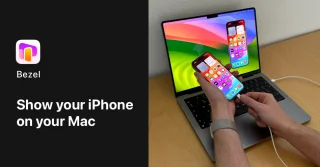
Bezel is the easiest way to view, present and record an iPhone.

Kleine App-Empfehlung für etwas, dass natürlich auch ohne diese 19-Dollar-App geht, aber halt nicht so schnell & einfach. Wann immer ich meinen iPhone-Screen präsentieren will – und das will ich als App-Designer und Entwickler relativ häufig –, neuerdings das Mittel der Wahl.

Bezel • Mirror any iPhone on your Mac | OpenGraph Preview Image
getbezel.app

Bezel • Mirror any iPhone on your Mac

Bezel mirrors any iPhone onto your Mac by just plugging it in. Beautifully designed for Mac, with ease of use in mind.