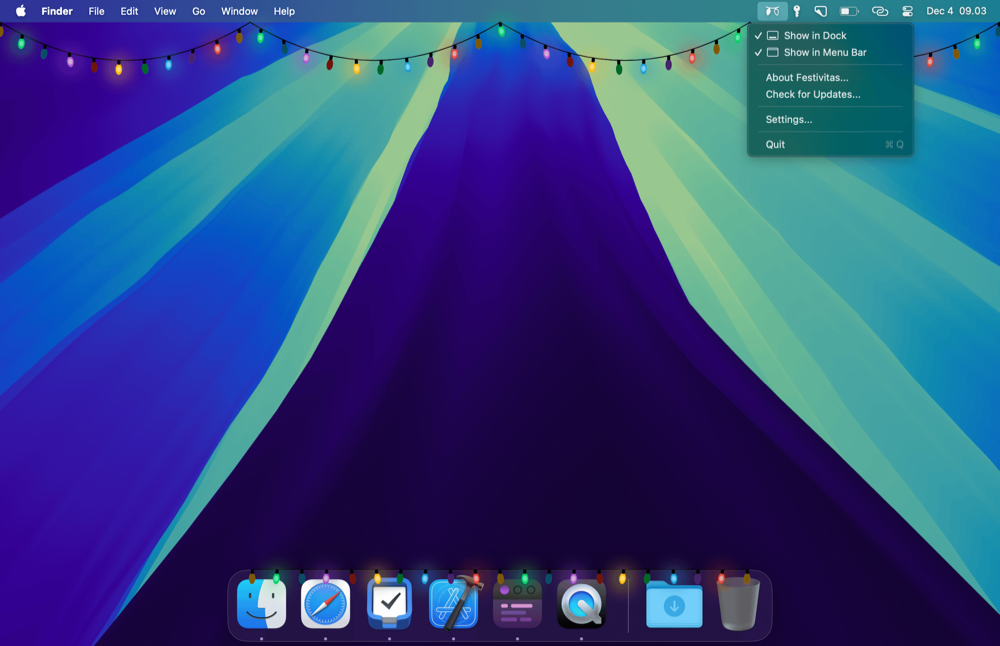
Festivitas brings the holiday spirit to your Mac with festive lights for the dock and menu bar.
Festliche kleine 4-Dollar-App von Simon Støvring, dem Entwickler u.a. von Datajar, Runestone und Scriptable, die ich alle nutze.

Das Weblog von Stefan Grund, der im Netz als @eay unterwegs ist und hier seit 2003 über Medien, Popkultur und Technologie schreibt. Mehr »
Festivitas brings the holiday spirit to your Mac with festive lights for the dock and menu bar.
Festliche kleine 4-Dollar-App von Simon Støvring, dem Entwickler u.a. von Datajar, Runestone und Scriptable, die ich alle nutze.
Bleiben wir beim Microblogging1: Roland über Openvibe, eine iOS- und Android-App, die ich dieser Tage auch gerne nutze und empfehle. Neben dem Crossposting und der erwähnten, schick gelösten Crossmention unterscheidet sich Openvibe aber von anderen Crossposting-Tools wie dem hervorragend betitelten Croissant dadurch, dass es eben auch alle Timelines/Feeds von Mastodon, Bluesky und Nostr darstellt und sogar in einer Unified Timeline vereint (Threads ist aus ewig gestrigen API-Beschneidungsgründen nur beim Posten verfügbar).
Kennt ihr schon den großartigen Crossposting-Client Openvibe?
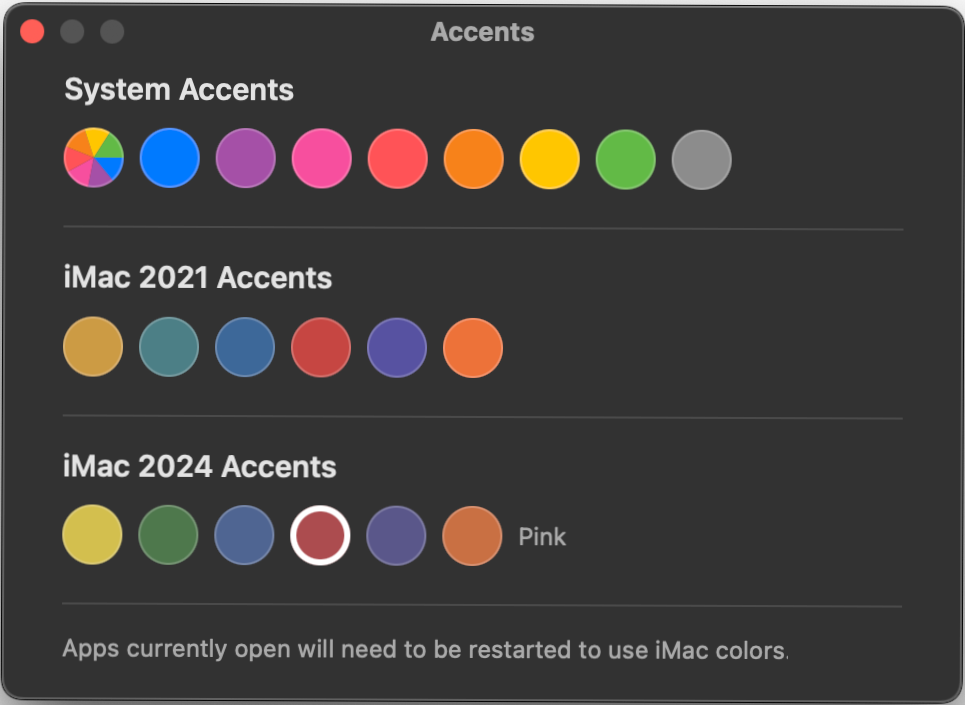
Accents is an app that lets you use the 2021 and 2024 iMac’s accent colors on any Mac.
Free little tool by Mahdi Bchatnia to unlock the new iMac colors for anyone.
—
Update, 13.03.2026: Now also with the new MacBook Neo colors.
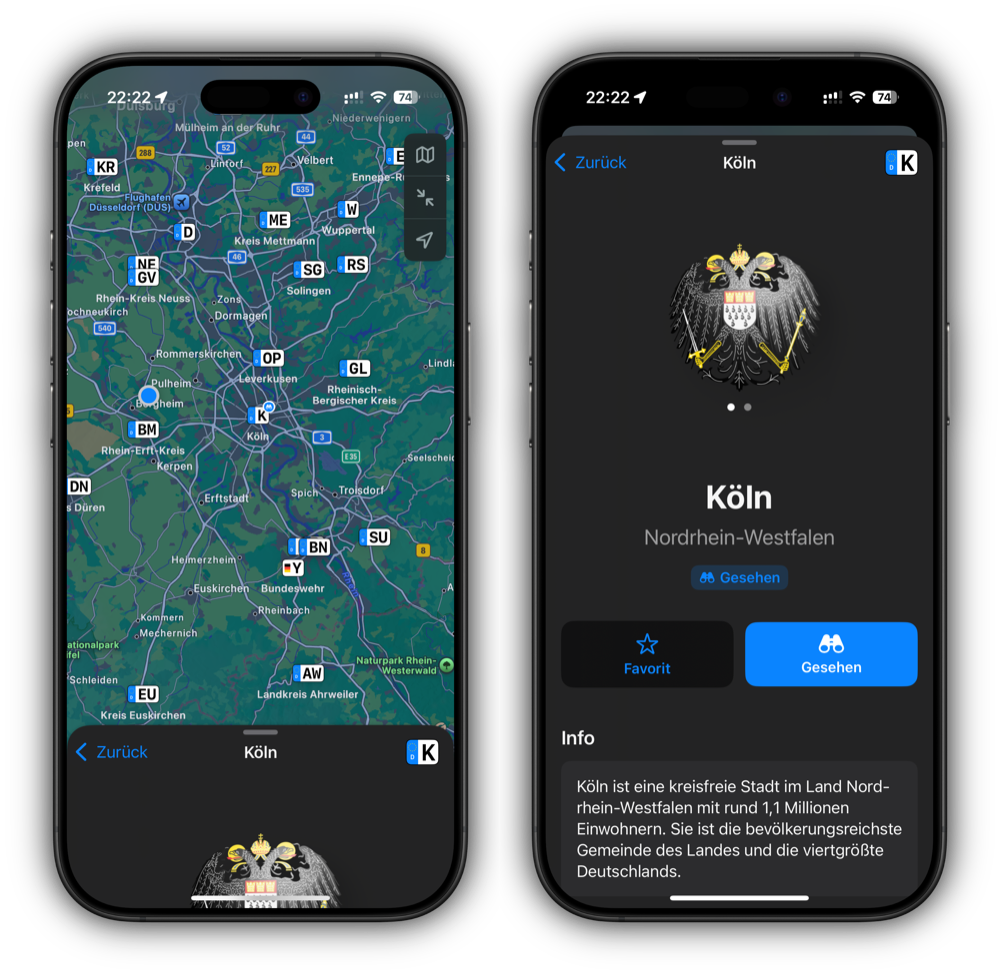
Schöne neue, kostenlose iOS-App von Yannick Lung, mit der sich 878 deutsche KFZ-Kennzeichen recherchieren, favorisieren und „als gesehen“ markieren lassen.
Last year when I switched to Pocket Casts for all my (cross-platform) podcast needs, I released a purple version of the official app icon, because, well, thanks to Apple Podcasts my brain is hardwired to think of podcasts as purple.
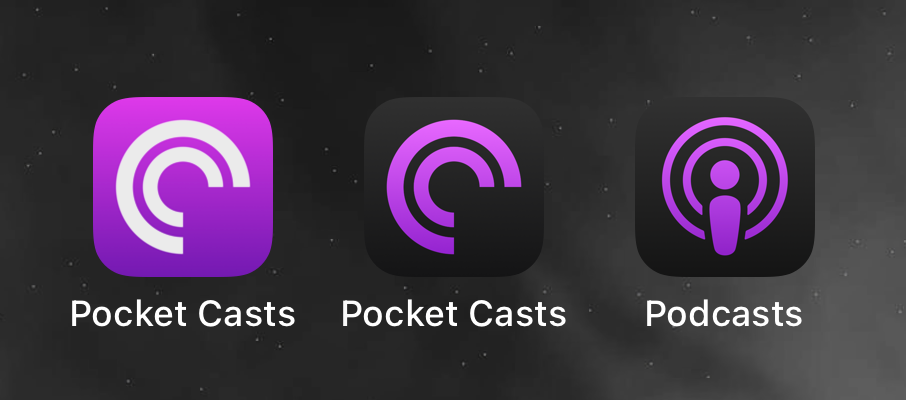
When iOS 18 came out on Monday with support for alternative dark app icons, I quickly realized that my purple Pocket Casts icon wasn’t really working there. So I went back to the Apple Podcasts app, which now only shows a purple icon on a dark gradient for dark mode. And so I updated my icon with the same style – here’s my purple Pocket Casts icon for dark mode.
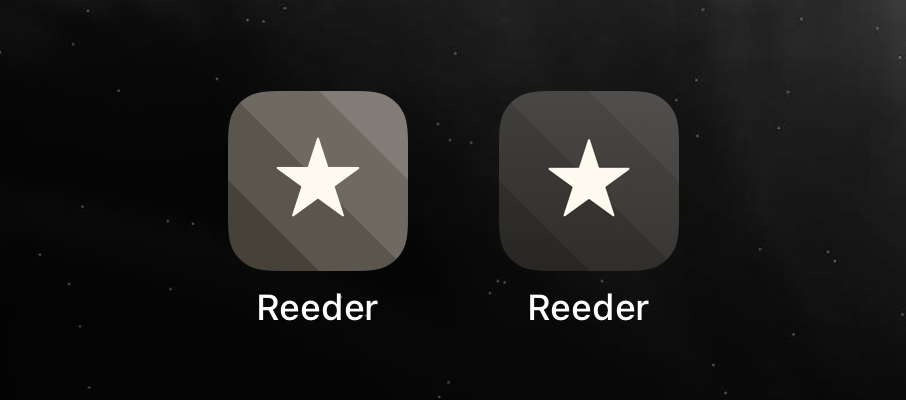
And while I was creating the icon, I noticed that the alternative „Reeder 4“ icon, that I have always used as the icon for Reeder 5 (now „Reeder Classic“), didn’t quite match the dark mode either. So I just changed it, here is the slightly darker Reeder 4 icon.
Federico Vittici macht für iOS und iPadOS bekanntlich das, was John Siracusa einst für macOS machte als es noch Mac OS X hieß: Ein super-ausführliches Review schreiben, dass bis ins kleinste Detail von Apples mobilen Betriebssystemen geht.
Da iOS 18 aber natürlich Apples unausgereifter Nachholversuch in Sachen Artificial Intelligence ist und dieser erst später mit 18.1 und erstmal nur in den USA kommen wird, konzentriert Federico sich zunächst auf die anderen, gar nicht mal so vielen Features. Das sind neben dem neuen (furchtbaren) Tinted Homescreen-Icons, allen voran der customizable Control Center (cool, aber, natürlich wieder mit unnötigen Beschränkungen belegt), diverse, teils überfällige Detailverbesserungen (looking at you, Bilingual Keyboard!) und Apple Apps-Updates (wie Fotos und Math Notes).
Mein 16 Pro kommt am Freitag, aber bis ich die verheißten Apple Intelligence-Features wirklich in der EU nutzen kann, habe ich vermutlich schon ein iPhone 17 oder 18 in der Hand. Während Google & Co. ein (unzureichend getestetes) AI-Feature nach dem anderen an den Mann bringt.
There is still fun beyond AI.
When your bin takes up a lot of diskspace BananaBin makes that visible by adding interactive flies to your bin.
Riley Testut, seineszeichens Entwickler der hervorragenden iOS-Emulatoren GBA4iOS und Delta, heute in seinem Blog:
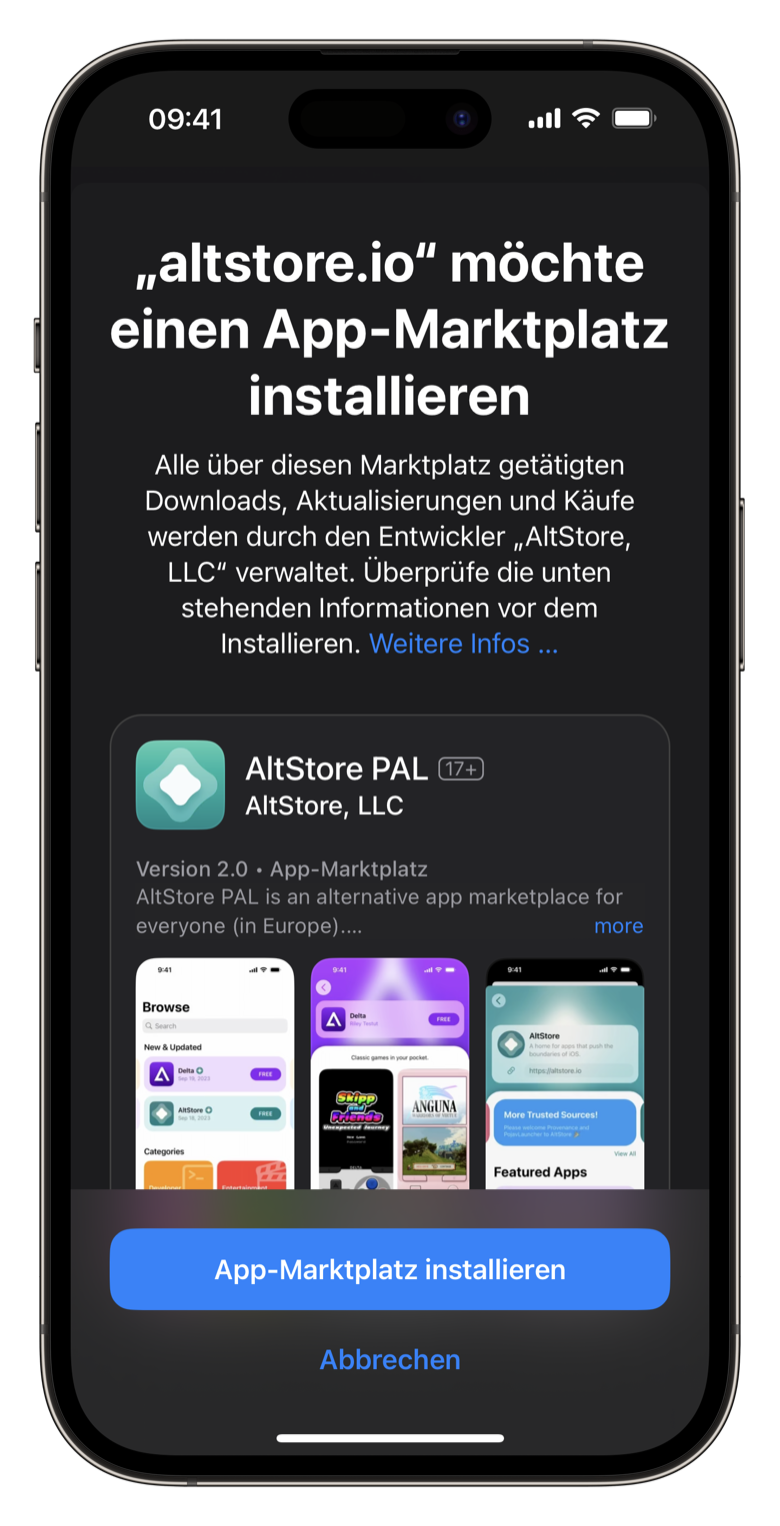
This is a day I’ve been looking forward to for over 10 years.
I’m thrilled to announce a brand new version of AltStore — AltStore PAL1 — is launching TODAY as an Apple-approved alternative app marketplace in the EU. AltStore PAL is an open-source app store made specifically for independent developers, designed to address the problems I and so many others have had with the App Store over the years. Basically, if you’ve ever experienced issues with App Review, this is for you!
Riley hat besagtes App Store Review mit seinen Emulatoren bereits vor Jahren auf die Probe gestellt und in Konsequenz seinen eigenen App Store, den AltStore, gebaut, der sich bisher per Mac-App und eigenen Entwicklungszertifikaten auf iOS installieren ließ. Mit den neuen EU-Richtlinien und EU-iOS 17.4 ändert sich dies nun: Seit heute ist der AltStore innerhalb der EU als alternativer App Store installierbar. Kostenpunkt 1,79 Euro pro Jahr, um die von Apple auferlegte Steuer für Apps außerhalb des eigenen App Store (Apples „Core Technology Fee“) zu berücksichtigen.
Die ersten zwei Apps im AltStore sind Rileys eigene Apps: der Emulator Delta und Clips, ein Clipboard-Manager. Darüber hinaus lassen sich weitere Quellen für die App-Distribution hinterlegen.2 Man darf gespannt sein, was da noch kommt.
Allow accessing your WordPress with Mastodon clients. Just enter your own blog URL as your instance.
Spannendes Projekt von Alex Kirk, von dem Matthias Pfefferle hier berichtet, das die Steuerung der eigenen WordPress-Installation per Mastodon-Client à la Ivory, Mona, Mammoth & Co. ermöglicht. Idealerweise im Zusammenspiel mit Matthias‘ ActivityPub-Plugin, sowie dem mir bis dato unbekannten Alex‘ Friends-Plugin, wodurch WordPress quasi zu einer eigenen, kleinen Mastodon-Instanz samt App-Anbindung wird.
Eines der Probleme von WordPress, aber auch anderen Blog-CMS wie Ghost, ist ja die vergleichsweise hohe Publikationshürde. Während Twitter-ähnliche Experiences aus einer simplen Textbox bestehen, kommen Blogs in der Regel mit mindestens zwei Textfeldern daher (Titel und Text), Formatierungen, Kategorien, Tags und und und. Um mal eben unterwegs im eigenen Blog microzubloggen (oder einen Beitrag wie diesen zu posten), ist das relativ viel Overhead. Dass die WordPress-App, wie Herr Kowski zuletzt auch festgestellt hat, ein überladenes, auf WordPress.com zugeschnittenes Monster ist, macht die Sache nicht besser – ein Projekt wie das obige hilft diese Lücke zu füllen.
Selbst blogge ich schon seit Jahren exklusiv aus Drafts heraus, das mein WordPress-Blog über die API befüllt, aber ich hoffe, dass neue Social-Apps wie Project Tapestry, das ich selbstredend unterstützt habe, da in Zukunft zeigen, wie es besser gehen könnte.
Allow accessing your WordPress blog with Mastodon clients - akirk/enable-mastodon-apps
Gute Änderung, die lange auf sich hat warten lassen. Usernames lassen sich – auch ein schönes Privacy-Feature – beliebig oft ändern. Für den Moment ist meiner stefan.85. Hier könnt ihr die dazugehörigen neuen Links ausprobieren und mir direkt auf Signal schreiben.
Aktuell funktioniert das Erstellen der Usernames und Links nur in den Betas und wird in den nächsten Wochen für die breite Nutzerschaft ausgerollt.

Signal’s mission and sole focus is private communication. For years, Signal has kept your messages private, your profile information (like your name and profile photo) private, your contacts private, and your groups private – among much else. Now we’re taking that one step further, by makin...